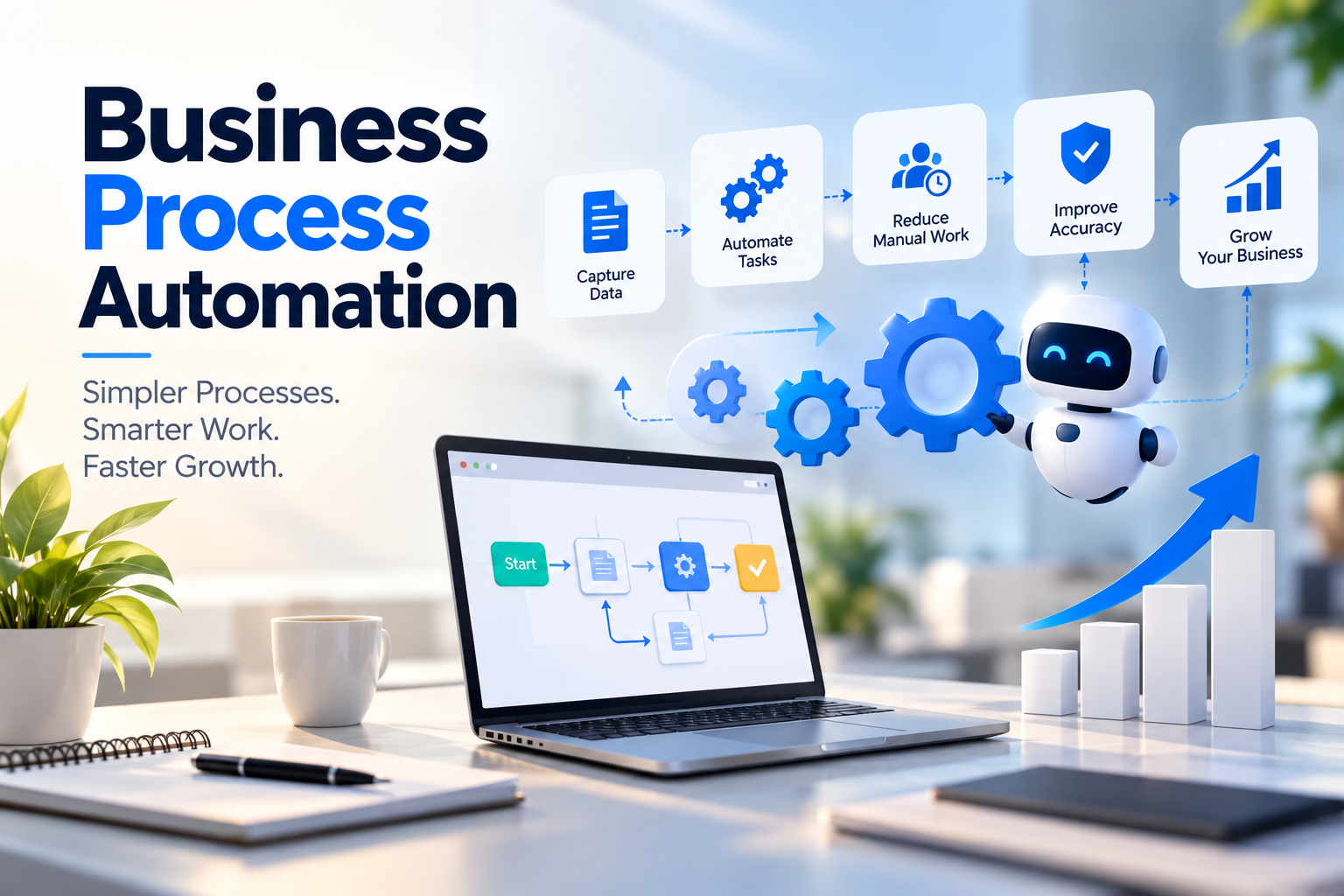
When Should a Business Automate Its Manual Processes? | Fruxinfo
29-10-2026
When Should a Business Automate Its Manual Processes?
Introduction
Every business starts with simple ways of managing daily work. A spreadsheet, a phone call, or a messaging group may be enough to handle customer enquiries, assign tasks, and track progress. However, as a business grows, these methods can become difficult to manage.
Employees may spend hours entering the same information into different systems, following up on pending tasks, preparing reports, or correcting avoidable mistakes. Over time, these activities can slow down operations and leave less time for customer service, planning, and business growth.
This raises an important question: When should a business automate its manual processes?
The answer depends on the challenges a business faces, the time spent on repetitive work, and the results it wants to achieve. Business process automation can help organizations streamline routine activities, improve visibility, and create more consistent workflows.
In this guide, we explain the signs that indicate a need for automation, the benefits businesses can expect, the features to consider, and how to choose the right solution.
What Is Business Process Automation?
Business process automation (BPA) uses technology to perform or coordinate repetitive business activities with less manual intervention.
Instead of relying on employees to complete every step manually, businesses can use software to manage tasks, move information between systems, send notifications, route approvals, and generate reports.
For example, when a customer submits an enquiry through a website, an automated workflow could record the details in a CRM, assign the enquiry to a salesperson, and notify the responsible team member.
The employee can then focus on understanding the customer's requirements instead of manually transferring information.
Business process automation can support many activities, including:
-
Customer enquiry and lead management -
Task assignment and follow-ups -
Sales and CRM workflows -
Employee onboarding and internal approvals -
Invoice processing and payment reminders -
Inventory updates and order management -
Reporting and data management -
Customer notifications and service updates
The purpose is not to automate every activity. It is to identify tasks where automation can create measurable value.
What Problems Indicate a Need for Business Automation?
Before investing in software, businesses should understand which problems are affecting their daily operations.
1. Employees Spend Too Much Time on Repetitive Tasks
When employees repeatedly copy information, prepare similar reports, send routine messages, or update multiple spreadsheets, valuable working hours can be lost.
These activities may be necessary, but many of their steps can potentially be automated.
For example, a sales team that manually updates lead information in several places could benefit from a CRM that centralizes customer data and automates selected updates.
2. Important Follow-Ups Are Frequently Missed
Customer enquiries, pending payments, internal approvals, and scheduled activities often require timely follow-ups.
When the process depends entirely on employees remembering each action, important tasks can be delayed or forgotten.
Automated reminders, task assignments, and notifications can help teams follow a more consistent process.
3. Business Information Is Scattered Across Different Tools
Some businesses manage customer information in spreadsheets, communicate through messaging applications, track tasks in separate tools, and prepare reports manually.
This can make it difficult to find accurate information quickly.
Integrating existing systems or using a centralized platform may help reduce duplicate data entry and provide a clearer view of business activities.
4. Managers Struggle to Track Performance
Business owners and managers need reliable information to understand what is happening across their teams.
If they must ask several employees for updates before understanding the status of a project, order, or customer enquiry, the reporting process may need improvement.
Automated reporting and workflow dashboards can help make important information easier to access.
5. Business Growth Creates Operational Pressure
A process that works well for 20 customer enquiries may become difficult to manage when enquiry volumes increase significantly.
As businesses expand, manual processes can create additional work, increase the risk of errors, and make consistent service more difficult.
Automation can help businesses manage increasing workloads without requiring every additional activity to be handled manually.
When Is the Right Time to Automate a Business Process?
There is no universal company size or fixed timeline for implementing automation.
A business should consider automation when a recurring process creates a measurable problem and the expected benefits justify the investment.
Before making a decision, ask these questions:
-
Does the same task need to be performed repeatedly? -
How many employee hours does the process consume? -
Are delays or mistakes affecting customers or business operations? -
Does the process depend too heavily on one employee? -
Is information difficult to track across departments? -
Can the current process be simplified before introducing technology? -
Would automation create enough value to justify implementation and maintenance costs?
If several answers indicate a genuine operational problem, it may be worth evaluating an automation solution.
However, not every inefficient process needs new software. Sometimes, clearer responsibilities, better documentation, or improved use of existing tools may solve the problem.
How Business Process Automation Can Improve Operations
A well-designed automation solution can improve business operations in several ways.
Reduce Repetitive Manual Work
Automation can handle routine steps such as assigning tasks, recording information, sending reminders, and updating selected records.
This allows employees to spend more time on activities that require communication, problem-solving, and decision-making.
Improve Process Consistency
Manual processes may vary depending on who performs them.
A clearly designed workflow can establish consistent steps for handling enquiries, approving requests, processing orders, or completing internal tasks.
Consistency can improve coordination and make processes easier to monitor.
Reduce Avoidable Errors
Repeated data entry and manual transfers increase the possibility of mistakes.
Centralized information, validation rules, and automated data transfers can reduce some of these risks.
However, automation does not eliminate every error. Incorrect data, poorly designed rules, and integration problems can still affect results.
Improve Team Coordination
Automated notifications, task ownership, and status updates can help employees understand what needs to happen next.
This can reduce unnecessary internal communication and make responsibilities clearer.
Support Better Business Decisions
When relevant information is recorded consistently, managers can review workflow performance, identify bottlenecks, and understand where improvements may be needed.
Reliable reporting can support better decisions, provided that the underlying data is accurate and up to date.
Practical Examples of Business Process Automation
The most effective way to understand automation is to look at common business situations.
Example 1: Automating Customer Enquiry Management
A business receives enquiries through its website, social media accounts, phone calls, and messaging applications.
Without a structured process, employees may record enquiries in different places, forget follow-ups, or struggle to identify which leads need attention.
An automated workflow could:
-
Capture enquiry details from supported channels. -
Store the information in a centralized CRM. -
Assign the enquiry to the appropriate team member. -
Send an internal notification. -
Schedule follow-up reminders. -
Track the enquiry's progress.
This approach can help businesses manage leads more systematically.
Example 2: Automating Internal Approvals
In some organizations, employees must contact managers manually to obtain approval for expenses, purchases, or other requests.
An approval workflow can route each request to the appropriate person, notify them when action is required, and record the decision.
This can make the approval process easier to track and reduce unnecessary follow-ups.
Example 3: Automating Reports
Teams often spend time collecting information from different spreadsheets or software platforms before preparing regular reports.
Where supported by the available systems, automation can collect relevant information, update dashboards, and generate recurring reports.
Employees can then spend less time compiling information and more time understanding the results.
Example 4: Automating Customer Updates
Businesses that provide services, process orders, or manage appointments may need to send customers regular updates.
A suitable system can trigger notifications when an order is confirmed, an appointment approaches, or a service reaches a particular stage.
The workflow should include appropriate communication preferences, accurate information, and safeguards against sending duplicate or incorrect messages.
Features to Consider in a Business Automation Solution
The right features depend on the business problem. A small team may need only a few automated tasks, while a larger organization may require integrations and more advanced workflow management.
Workflow Automation
Allows predefined actions to occur when specific conditions are met.
For example, a new enquiry may trigger a task assignment and notification.
Task Management and Notifications
Helps employees understand their responsibilities, deadlines, and pending activities.
CRM Integration
Connects customer information and sales activities so teams can manage enquiries and follow-ups more efficiently.
Approval Management
Routes requests to the appropriate decision-makers and records approval status.
Reporting and Dashboards
Provides visibility into selected business activities, performance measures, and workflow progress.
System Integrations
Allows supported applications to exchange information, reducing unnecessary manual transfers between tools.
Access Control and Data Security
Helps ensure that employees can access only the information and functions appropriate to their roles.
Businesses should also consider data backups, audit history, data export, mobile accessibility where needed, ongoing maintenance, and user support.
The goal is to choose features that solve the actual problem rather than purchasing unnecessary functionality.
Custom Software or Ready-Made Automation Tools: Which Is Better?
Businesses do not always need custom software to automate their processes.
An existing CRM, project management platform, accounting application, or workflow automation tool may already provide the required functionality.
The best option depends on the complexity of the workflow, available integrations, budget, and long-term requirements.
When Ready-Made Tools May Be Suitable
Consider an existing product when:
-
The business follows a relatively standard process. -
Required features are already available. -
The application integrates with current systems. -
The business wants to implement a solution quickly. -
Subscription and configuration costs are reasonable.
When Custom Software May Be Worth Considering
Custom development may be appropriate when:
-
The workflow has specific business requirements. -
Existing tools cannot support important processes adequately. -
Multiple systems need to work together in a particular way. -
The business requires a specialized CRM or operational platform. -
Greater control over functionality and future development is important.
Custom software also creates responsibilities for maintenance, security updates, technical support, and future changes.
Before deciding, compare the total cost of ownership, including development or subscription fees, integrations, data migration, employee training, maintenance, and future improvements.
A focused requirements document or prototype can help determine whether custom development is justified.
How to Measure the Success of Business Process Automation
Automation should be evaluated through business outcomes, not simply the number of features implemented.
Before introducing a solution, record how the existing process performs.
Useful measurements may include:
-
Time required to complete a task -
Number of manual steps involved -
Frequency of data-entry errors -
Average time taken to process an enquiry -
Number of overdue tasks -
Time spent preparing reports -
Employee adoption and user feedback -
Total operating cost of the process
For example, if employees spend 10 hours each week preparing a recurring report, a successful automation project should be evaluated by comparing the actual time required after implementation with the original baseline.
Time saved does not automatically translate into financial savings. The business must also consider implementation costs, maintenance expenses, and how the recovered time is used.
Review results after the system has been used long enough to produce meaningful evidence. If the expected improvement does not occur, investigate the workflow design, data quality, employee training, and suitability of the chosen solution.
Common Business Automation Mistakes to Avoid
Automating Before Understanding the Problem
Introducing software without documenting the existing process can make an inefficient workflow more complicated.
Understand the problem and simplify unnecessary steps before automating them.
Adding Too Many Features at Once
Large projects can become expensive and difficult to manage when too many requirements are included in the first version.
Start with the most important workflow and expand only when there is a clear business reason.
Ignoring Employee Training
Employees may struggle to use a new system if they do not understand its purpose or how it affects their responsibilities.
Involve users early, provide practical training, and collect feedback after implementation.
Overlooking Data Quality
Automation depends on reliable information.
Duplicate customer records, missing details, and inconsistent formats can create problems throughout a workflow.
Clean and validate relevant data before moving it into a new system.
Neglecting Security and Maintenance
Automation systems may process customer details, employee information, financial records, or other sensitive data.
Plan appropriate permissions, backups, security measures, and ongoing technical support.
Expecting Immediate Business Growth
Automation can improve operational efficiency, but it does not guarantee higher revenue or customer acquisition.
Business results depend on several factors, including service quality, demand, sales processes, implementation, and consistent use of the system.
A Practical Step-by-Step Business Automation Plan
A structured approach can help businesses reduce implementation risks and focus on meaningful results.
Step 1: Map the Existing Process
Document how the process starts, who is involved, what information is required, and how the task reaches completion.
Step 2: Identify the Main Bottleneck
Determine which steps create unnecessary work, delays, errors, or limited visibility.
Prioritize problems according to their business impact.
Step 3: Define the Expected Outcome
Set a clear objective, such as reducing report preparation time, improving enquiry follow-ups, or making approval status easier to track.
Step 4: Evaluate Available Solutions
Compare existing software, configuration options, integrations, and custom development.
Select an approach that meets the requirements without introducing unnecessary complexity.
Step 5: Test a Focused Workflow
Begin with a limited use case. Test realistic scenarios, validate information, check permissions, and confirm that the workflow behaves as expected.
Step 6: Train the Team
Explain how the new process works, what employees need to do, and where they can obtain help.
Step 7: Measure and Improve
Compare the results with the original baseline, collect user feedback, and make improvements where needed.
Once the first workflow performs reliably, consider extending automation to other suitable business processes.
Fruxinfo's Perspective: Automation Should Start With the Business Problem
At Fruxinfo, we believe business process automation should begin with understanding the way a business operates, not with choosing software first.
Every organization has different operational challenges. One business may need a better way to manage customer enquiries, while another may need connected systems, automated reporting, streamlined approvals, or a customized CRM.
The right solution should address these challenges while remaining practical for the people who use it every day.
Our perspective is built around three principles.
1. Understand Before Automating
Identify repetitive tasks, process bottlenecks, information gaps, and unnecessary manual effort. Establish what needs to improve before selecting a technology solution.
2. Choose Technology That Fits the Workflow
Depending on the requirements, the appropriate approach may involve workflow automation, system integrations, CRM configuration, or custom software development.
The objective is to select technology that supports the business rather than making daily operations unnecessarily complicated.
3. Focus on Measurable Business Outcomes
Evaluate whether the solution improves the process through meaningful measures such as time saved, fewer manual steps, better visibility, more consistent follow-ups, and improved coordination.
Automation should be treated as an ongoing business improvement process. As requirements change, workflows may need to be reviewed, maintained, and refined.
Fruxinfo helps businesses explore technology solutions based on their operational requirements and growth objectives. The most suitable approach depends on the existing systems, business priorities, and scope of the project.
Looking to simplify your business operations?
Explore how Fruxinfo's business automation, CRM, and custom software solutions can help you identify opportunities to streamline repetitive work and build more manageable business processes.
Conclusion
A business should consider automating its manual processes when repetitive work, avoidable errors, delayed follow-ups, disconnected information, or limited visibility begin to affect daily operations.
However, successful automation is not simply about replacing manual tasks with software. It requires a clear understanding of the process, realistic goals, appropriate technology, reliable data, and employee involvement.
Start by identifying one recurring workflow that creates a meaningful problem. Measure the current effort, evaluate available solutions, and test a focused improvement before expanding further.
For some businesses, an existing tool will be sufficient. Others may benefit from integrations, workflow automation, or custom software designed around specific operational requirements.
The most important principle is simple: Automate with a purpose, measure the results, and improve continuously.
With a practical strategy and the right technology, businesses can make everyday operations more consistent, improve team coordination, and prepare their processes to support future growth.
Frequently Asked Questions
1. What is business process automation?
Business process automation uses technology to perform or coordinate repetitive business activities with less manual intervention. Examples include task assignment, notifications, approvals, reporting, and customer enquiry management.
2. How can a business know when it needs automation?
Look for recurring delays, repetitive data entry, missed follow-ups, avoidable errors, disconnected systems, and difficulty tracking work. Measure the impact before investing in a solution.
3. Does every business need custom software?
No. Existing software, configured CRM platforms, integrations, or process improvements may be sufficient. Custom development is worth considering when important business requirements cannot be met effectively with available tools.
4. What processes can a business automate?
Suitable processes may include lead management, customer notifications, task assignments, internal approvals, reporting, appointment reminders, and selected administrative activities.
5. How much does business process automation cost?
Costs depend on the complexity of the workflow, software requirements, integrations, data migration, training, and ongoing maintenance. A focused requirements assessment can help establish a realistic budget.
6. How long does business automation take to implement?
The timeline depends on the scope, system integrations, data quality, testing, and approval requirements. A limited workflow is generally easier to plan and implement than a large, complex system.
7. Can business automation improve productivity?
It can reduce repetitive work and improve process consistency when implemented appropriately. Actual productivity gains depend on workflow design, data quality, employee adoption, and how the saved time is used.
8. What should businesses consider before implementing automation?
Define the problem, identify users, set measurable goals, evaluate available tools, plan data security, check integrations, budget for maintenance, and provide employee training.
9. Is business process automation suitable for small businesses?
Yes. Small businesses can start with simple workflows, such as enquiry tracking, appointment reminders, task assignments, or recurring reports. The solution should match the business's needs and budget.
10. How can Fruxinfo help with business automation?
Fruxinfo can help businesses explore suitable approaches involving business automation, CRM solutions, system integrations, and custom software development. The right approach depends on the workflow, existing systems, and desired business outcomes.
Related Services
Want to put these ideas into practice? Talk to Fruxinfo Ahmedabad about:



